Mini Course Generator is designed to be a flexible collaborative elearning authoring tool. Whether you are an agency, a school, or a corporate training team, our platform allows you to invite users to your workspace (which is “collection” in our case), assign roles with different permissions, and co-edit courses. Below you will find guides on how to manage your collaborators and maximize your productivity in content creation.
Features of our collaborative authoring tool #
To share collections with your teammates, go to the settings of your collection and click the Collaboration tab.
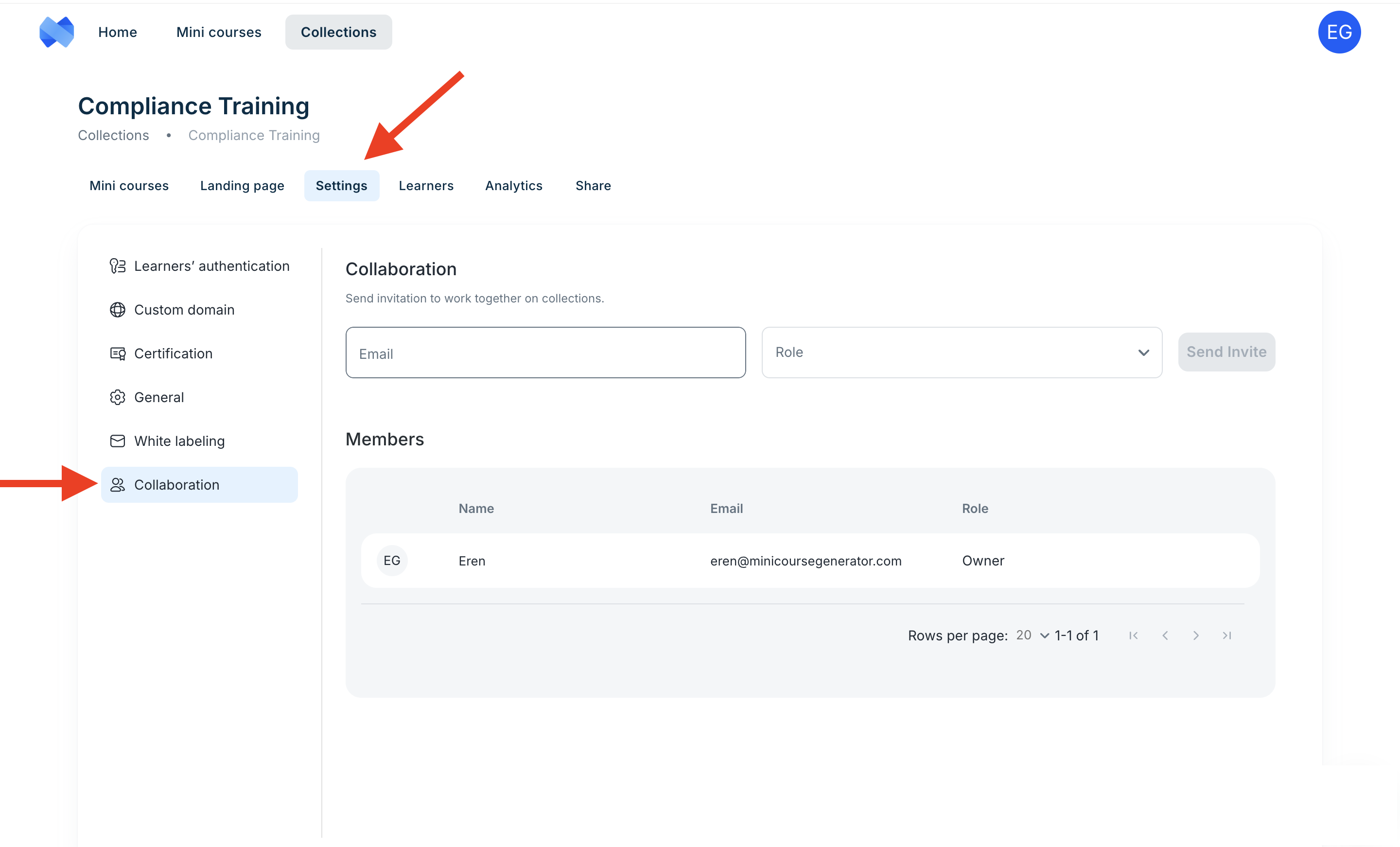
Write the email address and select a role for your teammate, then click the Send Invite button.
Managing team roles and permissions #
There are 3 roles:
- Editor & Analyst
- Editor
- Analyst
Editor & Analyst #
- They can access and edit everything in your collection except the settings.
Editor #
- They can edit mini courses and landing pages.
Analyst #
- They can access learners and analytics sections.
ℹ️ You can also change roles after sending the invitation.
After you send the invitation, your teammates will receive an email to access your collection. Your teammates need to click the button in the email to accept the invitation.
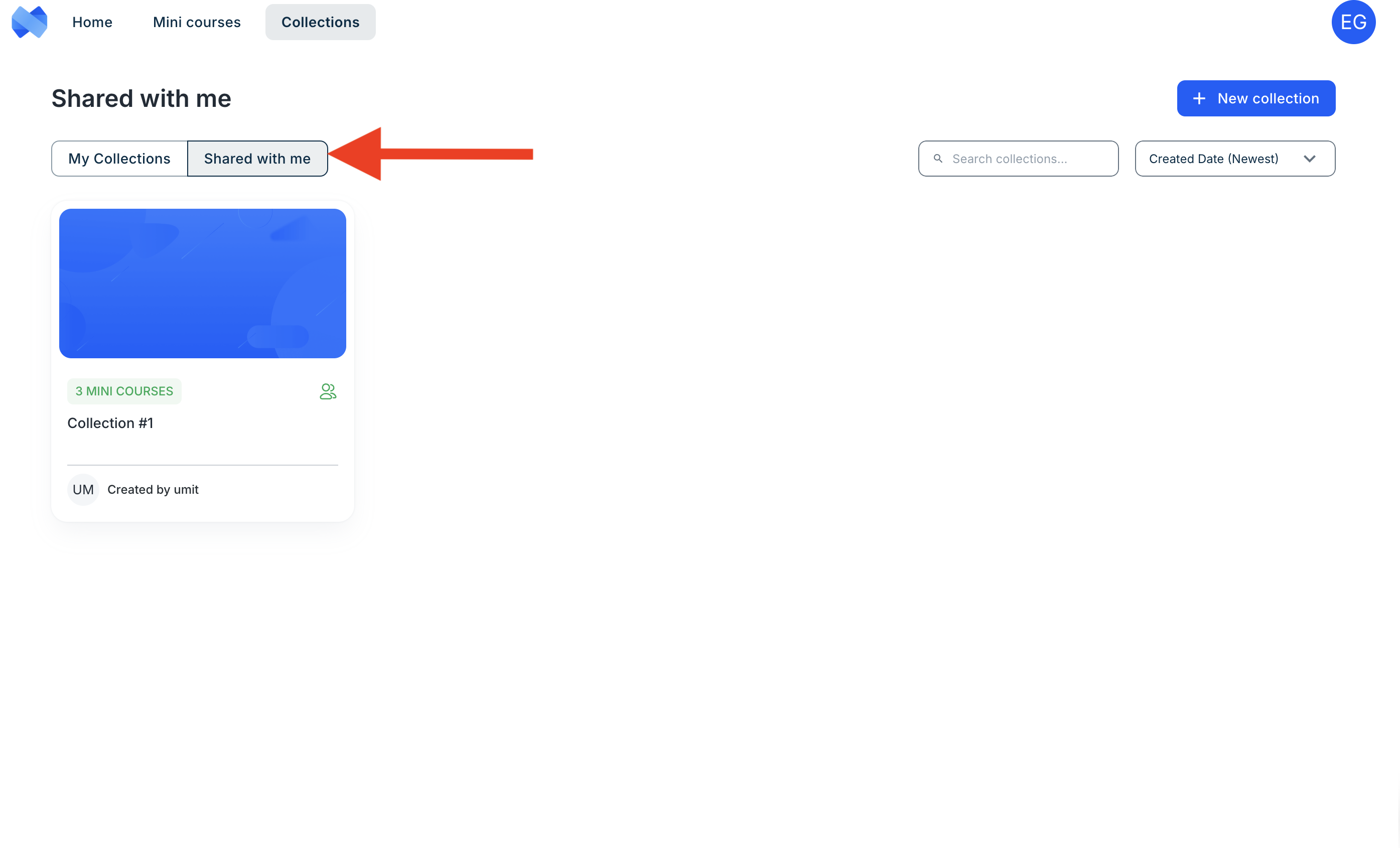
Collaborators will be able to see the collections shared with them in the Shared with me tab.
ℹ️ You will receive a notification email when your teammates accept the invitation.
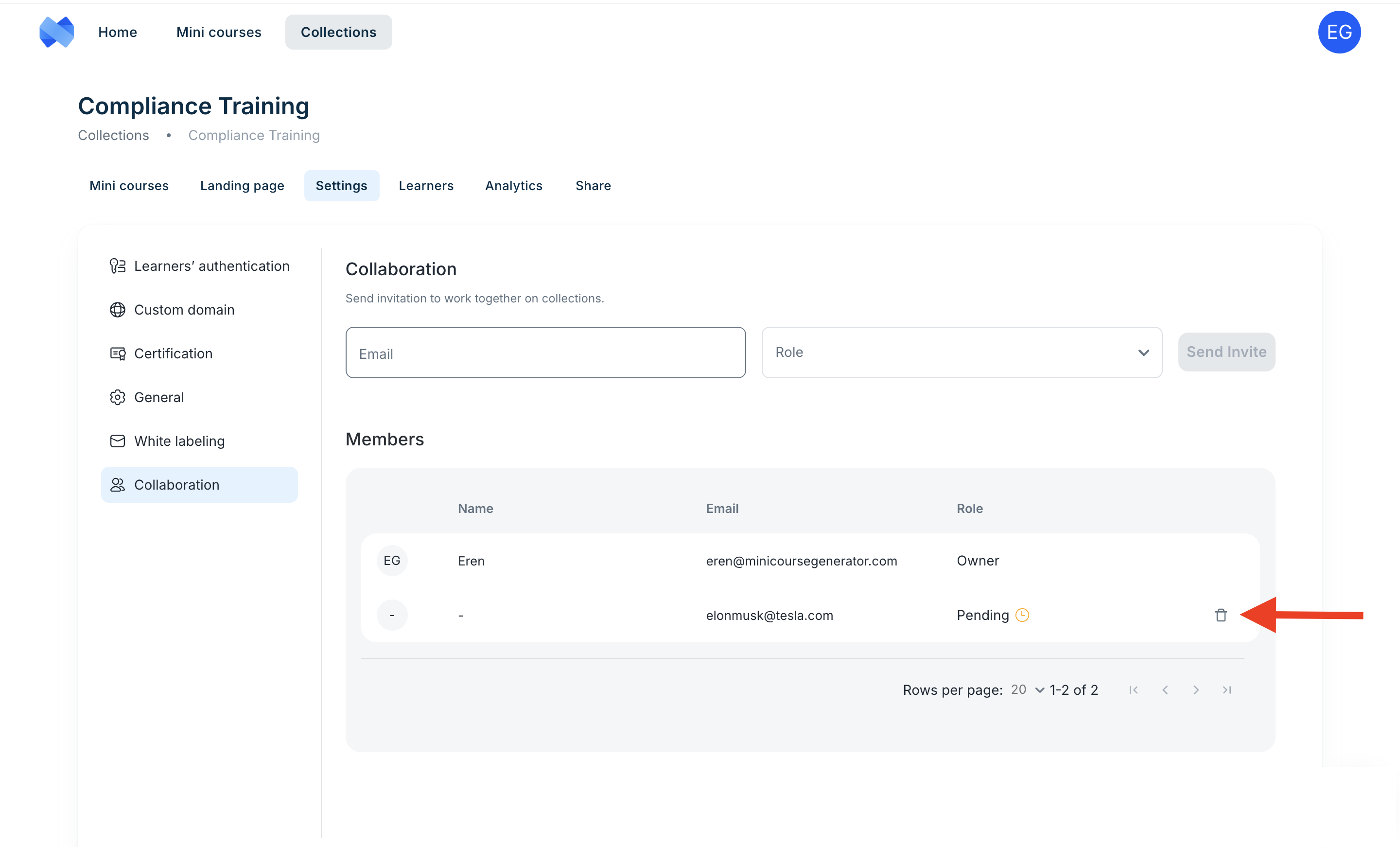
You can remove access from your teammates at any time. Simply click the trash button, and they will immediately be restricted from viewing and editing your course.