
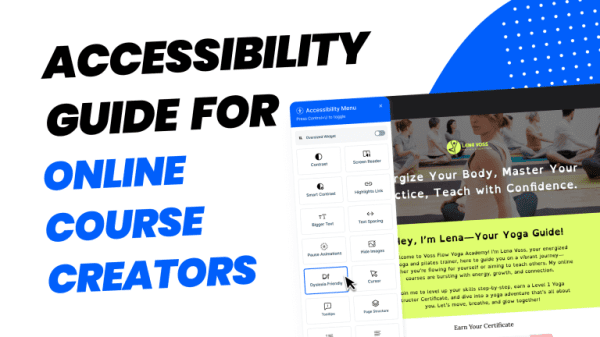
The Hidden Learning Barriers in Digital Education
Every day, millions of learners encounter invisible walls in online courses. These barriers aren’t intentional, but they’re real and impact digital education accessibility significantly:
- A student with dyslexia struggles with walls of dense text
- Someone with limited mobility can’t navigate courses requiring precise mouse movements
- A learner with hearing difficulties misses crucial audio-only information
These aren’t edge cases, they represent a significant portion of the learning population. Research indicates that roughly one in four adults in the United States has a disability that could impact their online learning experience. Yet most course creators design with a narrow vision of their “typical” learner.
The cost of inaccessible design extends beyond individual frustration:
- Educational institutions face legal challenges
- Course Creators miss market opportunities
- Society loses diverse perspectives from inclusive learning environments

Legal Standards for Digital Education Accessibility: ADA, WCAG, and Section 508
The Americans with Disabilities Act (ADA)
The ADA, enacted in 1990, prohibits discrimination based on disability in public accommodations, employment, and services. While originally focused on physical spaces, courts now increasingly interpret the ADA to cover digital educational environments.
The ADA doesn’t specify technical standards, making WCAG guidelines crucial for practical implementation.

Web Content Accessibility Guidelines (WCAG)
WCAG 2.1, developed by the World Wide Web Consortium (W3C), provides the technical roadmap for digital accessibility. WCAG organizes accessibility requirements around four principles:
POUR Principles for Accessible Online Learning:
1. Perceivable – Making Educational Content Accessible
- Provide alt text for images and graphics
- Offer captions and transcripts for multimedia
- Ensure sufficient color contrast (4.5:1 ratio minimum)
- Make content adaptable to different presentations
2. Operable – Ensuring Functional Accessibility
- Make all functionality keyboard accessible
- Give users enough time to read content
- Avoid content that causes seizures
- Help users navigate and find content easily
3. Understandable – Creating Clear Educational Experiences
- Make text readable and understandable
- Make content appear and operate predictably
- Help users avoid and correct mistakes
4. Robust – Future-Proofing Accessible Education
- Maximize compatibility with assistive technologies
- Use valid, semantic HTML code
- Ensure content works across different browsers and devices

Section 508 Compliance
Section 508 of the Rehabilitation Act requires federal agencies to make electronic content accessible. Many educational institutions follow these standards, which align with WCAG 2.0 Level AA.
Key Section 508 Requirements for Course Content:
- Electronic documents must be accessible to screen readers
- Multimedia must include synchronized captions
- Software and web applications must be keyboard accessible
- Color cannot be the sole means of conveying information
Staying Current with Evolving Standards
Accessibility standards continue evolving. WCAG 2.2 introduced new success criteria, and WCAG 3.0 is in development. Stay informed through:
- W3C Web Accessibility Initiative updates
- Professional accessibility organizations
- Legal developments in digital accessibility
- Assistive technology advancement
Regular Maintenance:
- Conduct quarterly accessibility reviews
- Update content when standards change
- Train team members on new requirements
- Monitor accessibility-related legal developments
Legal compliance isn’t just about avoiding lawsuits, it’s about ensuring equal educational opportunities. When you meet WCAG 2.1 AA standards, you create courses that work for the broadest possible range of learners.
Is Mini Course Generator Accessible?
While many course platforms offer limited accessibility features as afterthoughts, as Mini Course Generator, we have made accessibility a core feature of our platform. We understand that creating truly inclusive digital education requires more than checking compliance boxes. It demands comprehensive solutions that work seamlessly for diverse learners.
Learning knows no borders. We expanded our AI capabilities to support 30 languages, making it possible to create courses for global audiences without language barriers limiting your reach.
Most Comprehensive Native Accessibility Widget in Ed-Tech
Mini Course Generator is the only learning solution that includes a native accessibility widget designed specifically for diverse learning needs. Unlike platforms that rely on third-party plugins or limited built-in features, our integrated widget transforms the learning experience.
This comprehensive approach means course creators don’t need to choose between accessibility and functionality. MCG delivers both seamlessly. To learn more details, you can check our article.

Revolutionary One-Click Narration Technology
MCG is pioneering accessible content creation with our native screen reader that eliminates the need for external accessibility solutions. Our platform is the only ed-tech solution that allows you to add narration to your entire course with just one click.
This breakthrough technology:
- Converts existing course content into comprehensive audio learning resources
- Supports different learning preferences and improves information retention
- Provides professional-quality text-to-speech (TTS) without additional software
- Ensures consistent narration across all course materials

Built-in Content Accessibility Tools
Beyond our accessibility widget and narration features, MCG includes essential content creation tools that support inclusive design:
- Integrated alt text functionality for all images and visual elements
- Automatic heading structure that works with screen readers
- Color contrast checking to ensure WCAG compliance

Setting the Standard for Accessible Ed-Tech
Combined with our ADA compliance and extensive accessibility features, these updates position Mini Course Generator ahead of the curve in providing superior learner experiences. While other platforms treat accessibility as an add-on, we’ve built it into the foundation of our platform.
This means when you create courses with MCG, you’re not just meeting legal requirements—you’re creating truly inclusive educational experiences that reach and engage the broadest possible audience.
